Category Archives: Azure

Activating Azure Storage Service for Non SQL Express

I recently installed the November release of the Azure SDK.

I created a sample Web Role application and tried to run it, but I got the below error:

“Windows Azure Tools: Failed to initialize the Development Storage service. Unable to start Development Storage. Failed to start Development Storage: the SQL Server instance ‘localhost\SQLExpress’ could not be found. Please configure the SQL Server instance for Development Storage using the ‘DSInit’ utility in the Windows Azure SDK.”

Under default configurations, the SDK will point your storage service into SQL Server express instance.
Well in my case I did not have Express, instead I had SQL Server 2008 Dev Edition.

So to resolve this, go to the “Windows Azure SDK Command Prompt” and run the following command:
DSInit /sqlInstance:. /forceCreate

This will create your storage database under the default instance. Of course you will have to supply the named instance in case you have one. For example:

DSInit /sqlInstance:MyNamedInstance
Azure Invitation Codes Activation

Invitation codes for Microsoft’s Azure services platform currently come in three flavors:
– Code for .NET Services and SQL Data Services
– Code for Live Services API and Live Framework CTP
– Code for Windows Azure (hosted services, deployments, and storage accounts)

Once you get your tokens you need to activate them (associate these with your Windows Live ID).

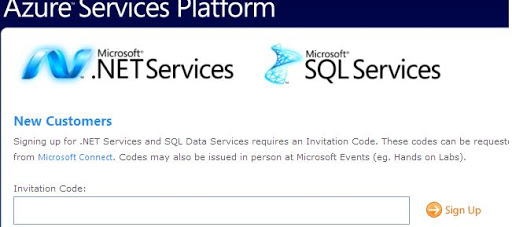
For the .NET Services and SQL Data Services, follow the following URL “http://go.microsoft.com/fwlink/?LinkID=129428”. Sign in using your token as shown below:

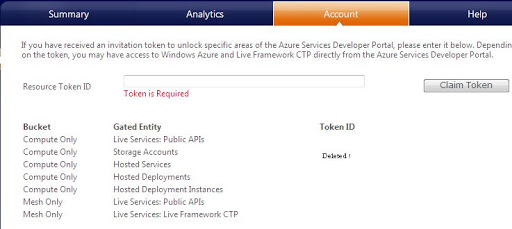
For the Windows Azure and Live Services tokens, follow the following URL “http://lx.azure.microsoft.com”. Redeem your token by associating it with your Live ID. Once done you can click on the “Account” tab to see the services that you get as a result of redeeming the two tokens. The following image shows what are these services (again note that the .NET Services and SQL Data Services are not included here as they have their own portal).